
Legally Remove DRM protection from Apple Music and Audiobooks.
Convert iTunes M4P songs and Apple Music to MP3 on Mac without quality loss.
Convert iTunes M4P songs and Apple Music to MP3 on Mac without quality loss.
Get rid of iTunes DRM protection and convert all iTunes media content, including both DRM protected songs and unprotected music to various audio formats, such as MP3, WAV, M4A, AAC, Flac and so on. so you would be able to play on non-Apple devices like PCs, mobiles, car, MP3 player, Sonos, android and other types of devices. You won't care about the compatibility of audio formats any more. Now ready for new Apple Music app and macOS 15 Sequoia.
 277.0 MB

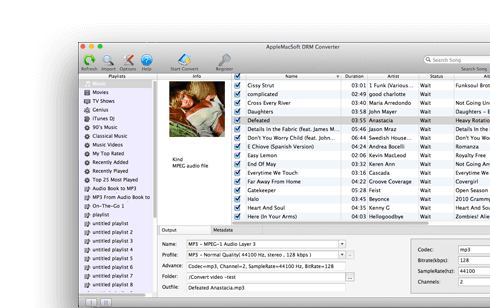
Songs purchased via the Apple music service or iTunes store cannot be played on non-Apple devices without being converted to other audio formats first. AppleMacSoft DRM Converter for Mac bypasses these annoying limitations by enabling you to legally remove DRM protection from iTunes and convert them to various unprotected audio formats, such as MP3, M4A, WAV, AU, AAC, AIFF, FLAC, AC3, M4R or MKA. DRM Converter for Mac is an ideal software for those iTunes users who wishes to enjoy purchased Apple music on any device of their choice.


Besides conversion of DRM protected audio files, the software also supports many formats of unprotected audio files, including MP3, M4A, AC3, MKA, M4R, WAV, AAC, MP4, Audible, Apple Lossless, AU, AIFF, WAV and so on. Actually, it supports to convert any audio formats that can be played by Apple iTunes.
As the all-in-one DRM Removal solution, AppleMacSoft DRM Converter for Mac also enables you to convert Audible AudioBook files and iTunes audiobooks to MP3. It works with all kinds of AudioBook files, including DRM protected iTunes M4B and Audible AAX, AA format to unprotected MP3 which may be played on various devices including Android, Tablet, Xbox One, Sonos, MS Suface, PS4, Wii-U, Car players, Mobiles, and other MP3 players.

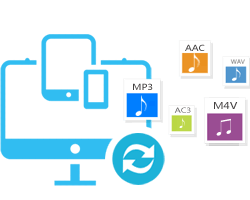
The software supports save to various popular audio formats including MP3, M4A, AAC, AC3, WAV, M4R, AIFF, AU, FLAC, MKA and more. With these formats, it will meet most of your needs.
Create copies of DRM copy-protected music, audiobook you can use anywhere!
DRM Converter for Mac gives you the ability to convert iTunes movies, music videos and TV shows to various popular audio formats with perfact quality, It also can rip the audio track from any video format supported by the iTunes player. no matter it is a DRM protected iTunes video (M4V) file, or a non-protected normal video file. And the audio track may be saved to an audio file like MP3, WAV, AC3, M4A, M4R, AU, FLAC, AIFF, AAC, MKA, and etc.


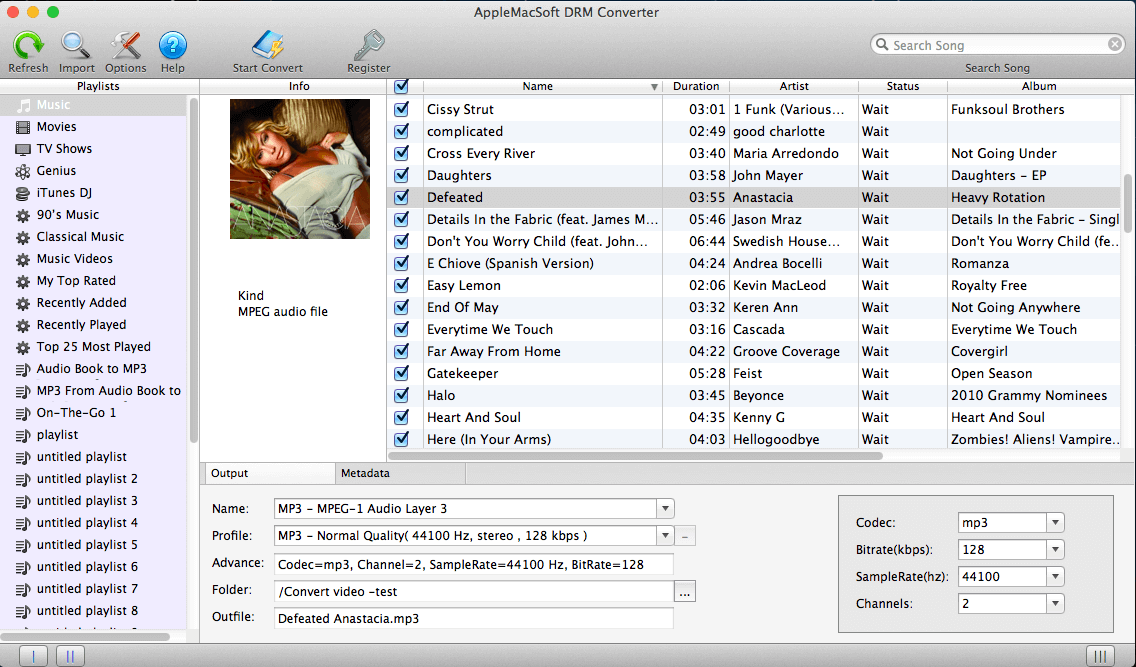
Get easy and quick access to Apple music library or other audio from iTunes and the latest Apple Music software. DRM Converter for Mac completely integrates with iTunes and fetches the files from the iTunes or Apple Music app. so you will be able to convert music according to your demand, whether just a single song or a playlist. You can even select entire iTunes music library and convert in one go!
The latest version of DRM Converter for Mac 8.8.x provides a perfect solution to work with iTunes and new Apple Muisc app.
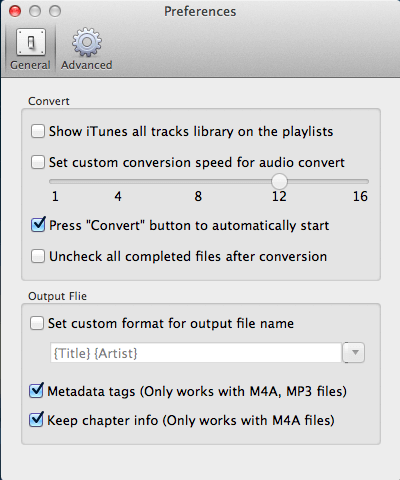
You can change many audio settings from the options like Sample Rate, Channels, Bit Rate, Codec, and etc. Customize output audio file-name format including Title, Album, Artist, Disk ID and Track ID, Adjust the volume for the output audio, and the conversion speed can be presented up to 16X times. Uncompromised audio quality with fast processing speed also differs it from the competitors. It also support edit music metadata manually before Apple Music conversion.

The perfect solution for compatibility issues between your Apple Music and your media devices so you don't have to stop rocking to your favorite Apple music.
Please be advised that DRM Converter for Mac on converts DRM protected audio files not video files. All iTunes videos (M4V file) are protected by copyright laws and advanced technology. If you do want to convert these files you will first have to remove DRM from video clips, movies and TV shows purchased on iTunes store using DRM Video Converter for Mac.
 Mac OS X 10.12 and later
You can immediately download the latest version of DRM Converter for Mac v8.8.8 and start to trial it on your macOS right now!
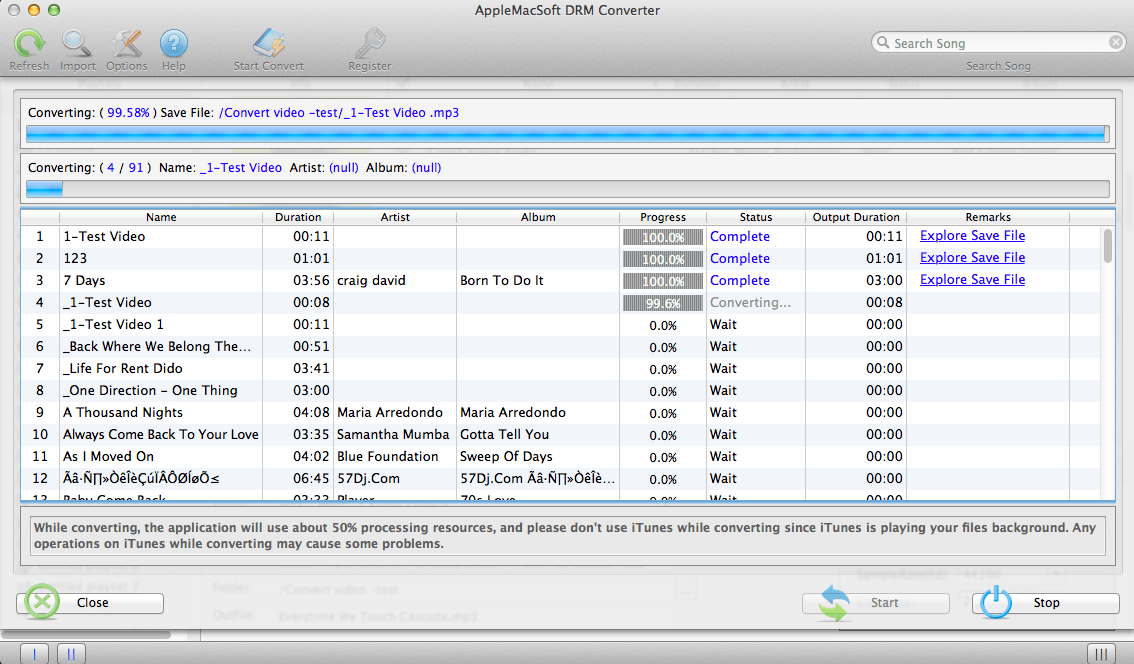

“Just to let you know that I love this piece of tech, so easy to install and use, fast converting apple music to MP3, great results, perfect! Keep up the great work!” --- Tom Smith
"I purchased this DRM Music Converter for Mac a few days ago. It worked perfectly to help me convert my Apple Music to MP3. and enjoy on my Audi car. best programme ever!" -- John Reilly
"Apple Tech recommended I download the free version of your DRM Converter … After downloading the trial version, I successfully converted one of the songs that was a Protected file with an m4p extension. That song shows that it is now a MPEG audio file with a mp3 extension. I was thrilled that the conversion worked and that it finally showed up in my Music playlist on SONOS". -- Dennis Neary